
Download Zobi – Simple Counter Tool, Free & Secure Web App
Introduction
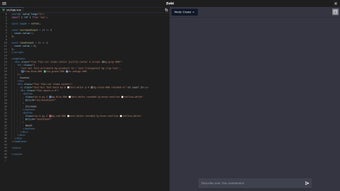
In today’s fast‑paced digital environment, professionals, educators, and hobbyists alike often need a lightweight utility that can count, tally, or keep track of simple numeric values without the overhead of a full‑featured analytics platform. Zobi answers that call with a no‑frills, browser‑based counter that lives entirely on the client side. Built on Vue.js, the application offers a clean, gradient‑filled interface that immediately displays a large, bold number surrounded by two vivid buttons – a blue “Increase” for incrementing the count and a red “Reset” for returning the counter to zero.
Because the tool runs purely in HTML, CSS, and JavaScript, there is no requirement to download, install, or maintain any software on a local machine. This means that whether you are on a Windows laptop in a corporate meeting, a macOS tablet in a classroom, an Android phone on a field site, or an iOS iPad during a live stream, Zobi is ready to use the moment you navigate to its URL. The design philosophy centers on accessibility: the UI is intentionally large enough for touch interaction, the color contrast meets WCAG AA standards, and the layout automatically adapts to various screen sizes using responsive CSS grid techniques.
While Zobi does not store data on a remote server, every click is processed instantly in the browser’s memory, guaranteeing that your counting session remains private and secure. This approach also eliminates any latency caused by network round‑trips, delivering an almost instantaneous feedback loop that is critical during live presentations or rapid‑fire brainstorming sessions. In summary, Zobi is a free, secure, and instantly accessible counter tool that embraces simplicity while delivering a modern, cross‑platform experience.
Whether you need to count audience votes, track inventory items during a quick audit, or simply keep a running total of repetitions during a workout, Zobi provides a reliable, zero‑cost solution that can be bookmarked, shared, and reused without ever leaving a trace on a server.
Overview & Core Features
Zobi’s core purpose is to provide a seamless counting experience that works on any modern browser. The application launches in under a second thanks to its minimal JavaScript bundle, and its UI is intentionally stripped down to the essential elements: a heading, the current count, and two action buttons. This minimalist approach reduces cognitive load, allowing users to focus solely on the numeric value. The counter automatically resets to zero each time the page reloads, ensuring a fresh start for every session without requiring manual configuration. Below is a detailed breakdown of the features that make Zobi stand out among free utility apps.
- Instant Counter Initialization: The counter begins at zero on every page load, guaranteeing a predictable starting point for every user.
- One‑Click Increment: A bright blue “Increase” button adds one to the displayed number with a single tap or click, providing tactile feedback through subtle CSS animations.
- Instant Reset: A red “Reset” button returns the count to zero instantly, eliminating the need for manual input or confirmation dialogs.
- Responsive Design: The layout uses flexible grid and media queries, ensuring that the interface looks polished on desktops, laptops, tablets, and smartphones across Windows, macOS, Linux, Android, and iOS.
- Vue.js Powered: Leveraging Vue’s reactive data binding, the UI updates without page reloads, delivering a smooth, lag‑free experience even on low‑end devices.
- Zero Installation Required: As a pure web application, Zobi runs directly from any up‑to‑date browser—no downloads, no installation, no updates.
- Secure HTTPS Hosting: All communication occurs over encrypted HTTPS, and no data is transmitted to a server, safeguarding user privacy.
- Minimalist UI with High Contrast: Large typography, a gradient background, and clearly labeled buttons keep the focus on the count while meeting accessibility guidelines.
- Free to Use, No Ads: Zobi offers a completely cost‑free experience with no hidden fees, subscription tiers, or advertising interruptions.
While Zobi intentionally avoids feature bloat, the developers plan to introduce optional theming and multi‑counter support in future releases, based on community feedback. For now, the tool’s strength lies in its reliability, speed, and the confidence that comes from a privacy‑first design. Users can safely embed the URL in presentations, share it on internal communication platforms, or even generate QR codes for quick access during workshops.
Installation & Usage Instructions
Step‑by‑Step Guide to Get Started
Because Zobi is a cloud‑hosted web app, there is no traditional installation process. Follow these simple steps to start counting instantly on any device, whether you are at a desk or on the move.
- Open Your Browser: Launch a recent version of Chrome, Firefox, Edge, Safari, or Opera on Windows, macOS, Linux, Android, or iOS. All major browsers support the HTML5, CSS3, and ES6 features required by Zobi.
- Navigate to the URL: Enter
https://zobi-counter.cominto the address bar. The site loads within a second thanks to its lightweight assets and CDN‑served JavaScript. - Verify Secure Connection: Look for the padlock icon next to the URL. This indicates an HTTPS connection, ensuring that your interactions remain encrypted and private.
- Start Counting: Click the blue “Increase” button to add one to the displayed number. Each click updates the UI instantly without any page reload, thanks to Vue’s reactivity system.
- Reset When Needed: Click the red “Reset” button to bring the counter back to zero. This action is immediate and does not require confirmation, streamlining rapid counting cycles.
- Bookmark for Future Use: Save the page to your browser’s bookmarks bar or create a shortcut on your desktop or mobile home screen. On Android and iOS, use “Add to Home Screen” to launch Zobi like a native app.
Power‑User Tips: Although Zobi does not persist data, you can capture the current count by opening the developer console (F12 or ⌥⌘I) and executing document.querySelector('#counter').innerText. This technique is handy for logging counts during live events or when you need to transfer the number to another application. Additionally, you can embed the Zobi URL in an iframe on internal dashboards, allowing teams to view the counter alongside other metrics without leaving their workflow.
Automatic Updates: The development team continuously deploys improvements to the live site. Users always see the latest version without needing to refresh caches manually; browsers will automatically fetch the newest assets on the next page load, ensuring compatibility with the latest security standards and browser APIs.
Compatibility, System Requirements, & Pros & Cons
Zobi runs in any modern web browser, making it compatible with Windows 10/11, macOS Ventura and later, popular Linux distributions (Ubuntu, Fedora, Debian, etc.), as well as mobile platforms such as Android 9+ and iOS 13+. No additional plugins, extensions, or runtime environments are required, and the tool works equally well on desktop, laptop, tablet, and smartphone form factors.
Pros
- Completely free and instantly accessible from any device with a browser.
- Lightning‑fast load time due to a minimal JavaScript bundle and efficient CSS.
- Responsive layout adapts flawlessly to desktops, tablets, and smartphones.
- All data stays client‑side; no server‑side storage means superior privacy.
- Zero‑install model eliminates the hassle of updates, licensing, or version control.
- Visually appealing gradient background and large, high‑contrast typography enhance readability.
- Built with Vue.js, delivering smooth, lag‑free UI interactions even on low‑end hardware.
- Secure HTTPS hosting guarantees encrypted communication between user and server.
Cons
- Does not provide advanced features such as data export, multi‑counter support, or built‑in analytics.
- Requires an internet connection to initially load the page; offline use is not possible without prior caching.
- Limited customization options – colors, themes, and button labels cannot be altered at this time.
- Only a single counter instance is available, making it unsuitable for complex tallying or batch processing.
- No built‑in accessibility shortcuts for screen readers beyond basic HTML semantics.
Frequently Asked Questions & Conclusion
Is Zobi completely free to use?
Yes, Zobi is a 100 % free web application. There are no hidden fees, subscription plans, or advertisements. You can use it as often as you need without any cost.
Do I need to create an account to use Zobi?
No account or login is required. Zobi works anonymously in your browser, and all data stays client‑side, ensuring complete privacy.
Can Zobi be used offline?
Since Zobi is hosted online, you need an internet connection to load the page. However, once the page is loaded, the counter continues to work even if the connection drops, because all functionality runs locally in the browser.
Is the counter data saved anywhere?
No. Zobi does not store any counts on a server. The number exists only in the browser’s memory, guaranteeing that your data remains private and is cleared when you close the tab or refresh the page.
What browsers are supported?
Zobi works on all current versions of Chrome, Firefox, Edge, Safari, and Opera. It is fully responsive on both desktop and mobile browsers, ensuring a consistent experience across platforms.
Conclusion & Call to Action
In a market saturated with feature‑heavy dashboards and subscription‑based utilities, Zobi stands out by embracing the power of simplicity. Its clean UI, instant responsiveness, and zero‑cost model make it the go‑to solution for anyone who needs a reliable counter without the overhead of a full‑blown application. Whether you’re a teacher counting student responses, a streamer tracking live viewer votes, or a developer testing UI components, Zobi offers a frictionless experience that works on any device you own. Because it runs entirely in the browser, you can trust that your data remains private and that updates happen automatically, keeping the tool secure and future‑proof.
Ready to start counting? Visit Zobi now and enjoy a free, secure, and instantly accessible counter tool. Bookmark the page, share it with your team, and make counting effortless today.



.png)



